How to Choose the Best Golf Launch Monitor?
Choosing the best golf launch monitor starts with one question: where will you use it? A garage setup has different needs from a range session under changing light. Space, budget, and practice habits matter as much as headline accuracy. Small details matter.
PGA instructor Andrew Rice is known for using launch-monitor data in teaching. A fair paraphrase of his data-led approach is: “Numbers are useful when they guide the next practice decision.” Treat that as a principle, not a verified verbatim quotation. A monitor should help explain a real shot, not simply fill a screen with figures.
Compare the measurements you actually need. Carry distance, ball speed, launch angle, and spin can help golfers understand why a shot flies high, low, short, or offline. Check which metrics come with the device and which require subscriptions or additional equipment. Then consider setup time, indoor space requirements, software, and whether the readings suit your skill level. A compact unit may fit beside a garage net, while a camera-based system may need more room and careful alignment. It depends.
This guide will help you weigh those trade-offs without assuming the most expensive golf launch monitor is automatically the best. Specifications can look convincing, yet real practice conditions may expose limitations. That deserves a second look. Use the sections ahead to compare accuracy, portability, features, and value, then match the monitor to your own routine.
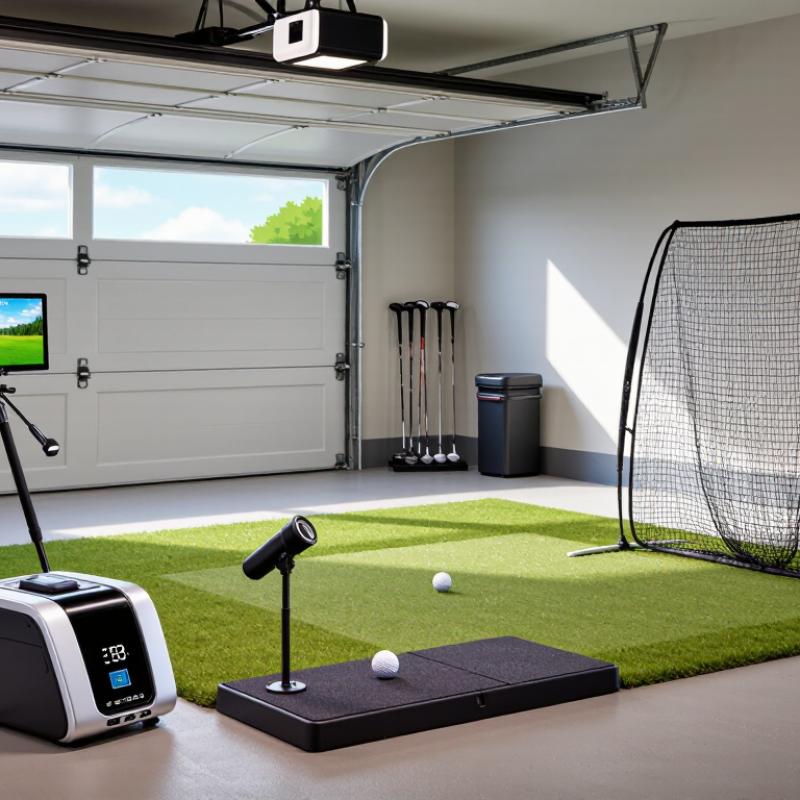
Define the Role of a Golf Launch Monitor
A golf launch monitor measures what happens between impact and the ball’s early flight. Depending on its sensors and setup, it may record clubhead speed, ball speed, launch angle, spin, carry distance, and face or path data. These numbers turn a swing into information you can compare across shots. A thin strike might explain a sudden loss of ball speed. A launch angle that changes from shot to shot may point to inconsistent contact.
Its role is not to judge a swing or prescribe one ideal technique. It gives golfers, coaches, and club fitters evidence to investigate. For example, if a player’s carry distance seems short, ball speed and launch conditions can help identify possible causes. The monitor can also track practice patterns, but one unusually good shot proves little. Numbers need context. Indoor readings may rely on calculated flight, while outdoor conditions such as wind affect the ball’s actual travel.
Setup matters. Place the unit as instructed, use the correct ball setting, and check that the hitting area is clear. Small alignment errors can distort readings. I’d also question any result that looks surprisingly different from repeated shots; a device is useful, but not infallible. Pair its measurements with observed ball flight and a coach’s assessment. That makes the data more practical, even when the swing itself remains a work in progress.
How to Choose the Best Golf Launch Monitor: Understanding Its Role
A launch monitor measures ball and club data to help golfers understand shot distance and consistency. This illustrative 7-iron example shows carry distance across six shots.
Use repeated-shot readings to compare carry distances and identify patterns. When choosing a monitor, consider which data it measures, where you plan to use it, and whether it provides the feedback you need.
Identify Your Skill Level, Practice Goals, and Budget
Your skill level should shape the data you pay for. New golfers often benefit most from reliable carry distance and clear contact feedback. You do not need a screen full of numbers. Keep it simple. More experienced players may value spin, launch angle, and shot dispersion to compare clubs or refine a specific miss. Check that the monitor can measure those numbers consistently in your practice setting.
Match the monitor to your goals and available space. For outdoor range sessions, confirm it can handle changing light and uneven hitting areas. For home practice, measure the room, ceiling height, and distance to your net before buying. A narrow garage may limit setup options. I still find it easy to overestimate how often I will practice indoors, so be honest about your routine. If you mainly want to track distance, a complicated system may add little value.
Set a firm budget that includes more than the device. Check whether useful features require a recurring fee, and account for items such as a hitting mat or protective net. Compare the cost with the feedback you will actually use. A less expensive monitor that fits your space may serve you better than a costly model with unused features. Accuracy also depends on careful setup, so read the measurement requirements before deciding.
Compare Tracking Technologies and Measurement Accuracy
Choosing a golf launch monitor starts with understanding how it tracks the ball. Radar systems follow movement through space and can suit outdoor practice, where the ball has room to travel. Indoors, limited flight distance may affect some readings, so check the required setup. Camera-based systems capture impact and early flight with high-speed images. They can work well in compact bays, but need clear lighting, careful alignment, and an unobstructed view. Details matter.
Accuracy is not one number. A monitor may measure ball speed directly while estimating other values from limited flight data. Compare the specific metrics you use, such as launch angle, spin, carry distance, and club path. Ask whether each is measured or calculated. Look for published test methods, stated tolerances, and repeatability data—not just a bold accuracy claim. Place the unit at the recommended distance, level it, and use consistent balls. A small shift can change results.
Consider your practice space before comparing specifications. A low ceiling, bright window, or narrow mat can affect tracking. If possible, test several shots with your own clubs and compare the pattern, not one unusually good reading. This takes patience. I would not treat any monitor as a perfect coach; it can reveal patterns, but poor setup can make confident numbers misleading. Recheck calibration after moving the unit.
Evaluate Setup Requirements, Portability, and Software
A launch monitor is only useful when your space suits its tracking method. Measure the room before shopping: note ceiling height, ball-to-unit distance, and the space behind the hitting area. Camera-based systems may need clear views and steady lighting, while radar-based systems often need more room in front of the ball. Requirements vary, so check the setup guide for the exact model rather than relying on a product photo. Small details matter.
Portability is more than weight. Check whether the unit needs a level surface, a power outlet, or time to recalibrate after moving. If you practice at home and at a range, a carrying case and quick setup can save real effort. Still, the lightest option may not suit a fixed indoor bay, where stable placement matters more. I have learned that an extra minute aligning equipment can interrupt a short practice session.
Software shapes what you can learn from each shot. Look for clear readings of carry distance, launch angle, and ball speed, plus simple ways to review trends over time. Confirm which features work without an internet connection and whether advanced tools require a recurring fee. A crowded dashboard can be impressive, but it may distract from one useful question: are your shots becoming more consistent? Check sample screens before choosing; software descriptions alone can leave gaps.
Match Key Features to Your Playing and Training Needs
Choose a launch monitor around the shots you actually practice. If you work on wedge distances, prioritize reliable carry distance and spin estimates. For driver sessions, ball speed, launch angle, and club path can help explain why a shot curves or flies short. Indoor users should check the space required and whether the unit tracks the ball or club directly. Outdoors, screen visibility and setup time matter more. Small details count: a monitor that takes ten minutes to align may stay in its case.
Your practice setting matters, too. The National Golf Foundation reported 26.6 million on-course golfers in the United States in 2023 (Golf Participation in the U.S., 2024). That broad participation picture points to varied needs, not one ideal device. A garage golfer may value repeatable indoor readings and easy session review. A player using a range may care more about portability and quick setup. That matters. Match the data to a real decision, such as changing a club or adjusting a launch window, rather than collecting numbers without a plan.
Before buying, compare the monitor’s stated accuracy, supported metrics, and operating conditions. Check whether it needs marked balls, a level surface, or a specific ball-flight distance. Look for clear explanations of measurement limits; no device removes every source of error. I’d also test how its reports read after a normal session. If the charts feel confusing, that’s worth admitting—not every feature will improve your practice.